Situation
A spatial data team needs Flux to keep processing a recurring VicMap DataShare order, but the order must be closed and recreated in DataShare before Flux can continue using the refreshed order configuration.
Outcome
The team closes the old recurring order, creates the replacement order, confirms the schedule, and leaves Flux with a recurring DataShare order that can be checked, downloaded, imported, and logged by the normal automation path.
Steps
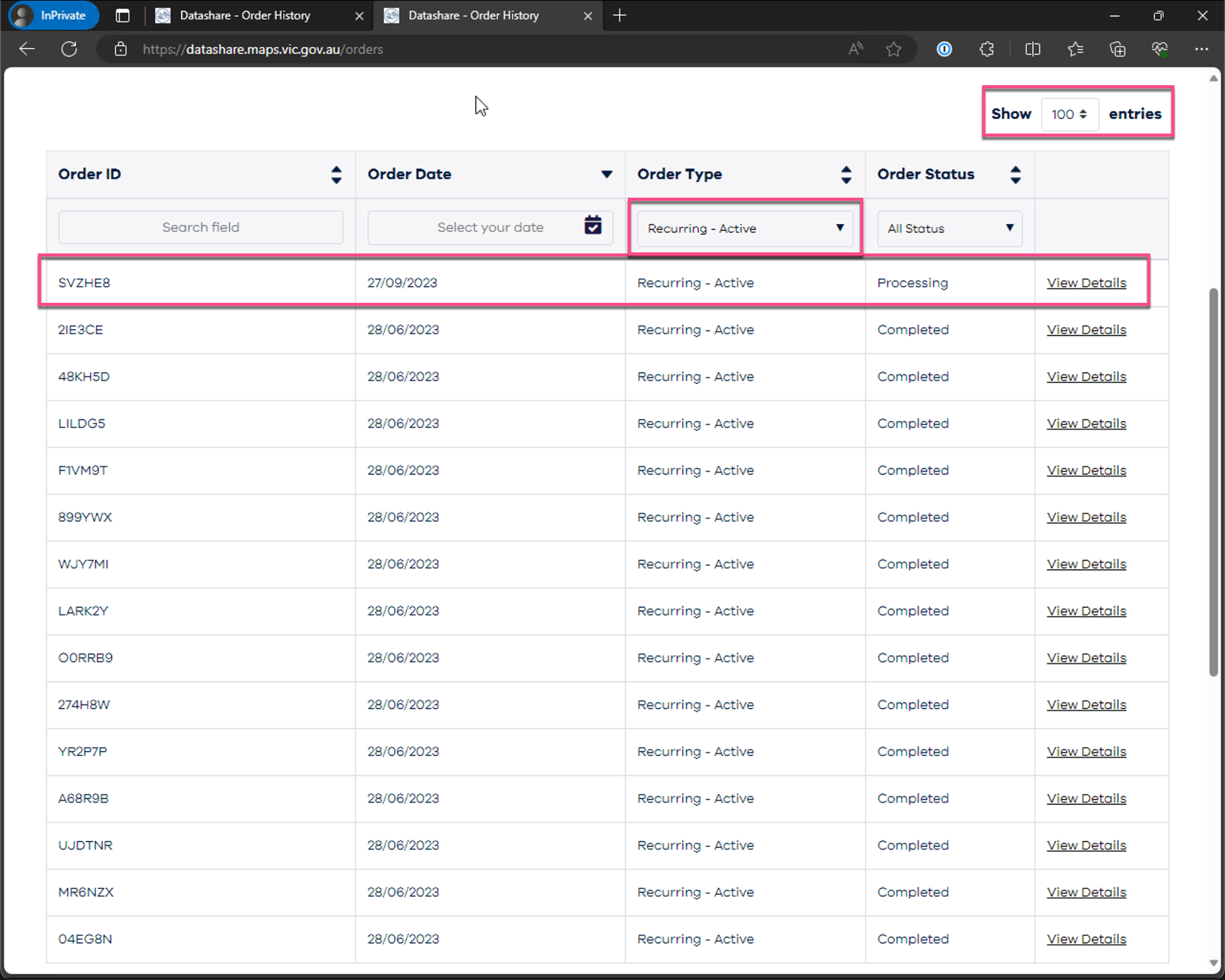
Open the DataShare orders page and find the recurring order that Flux uses.
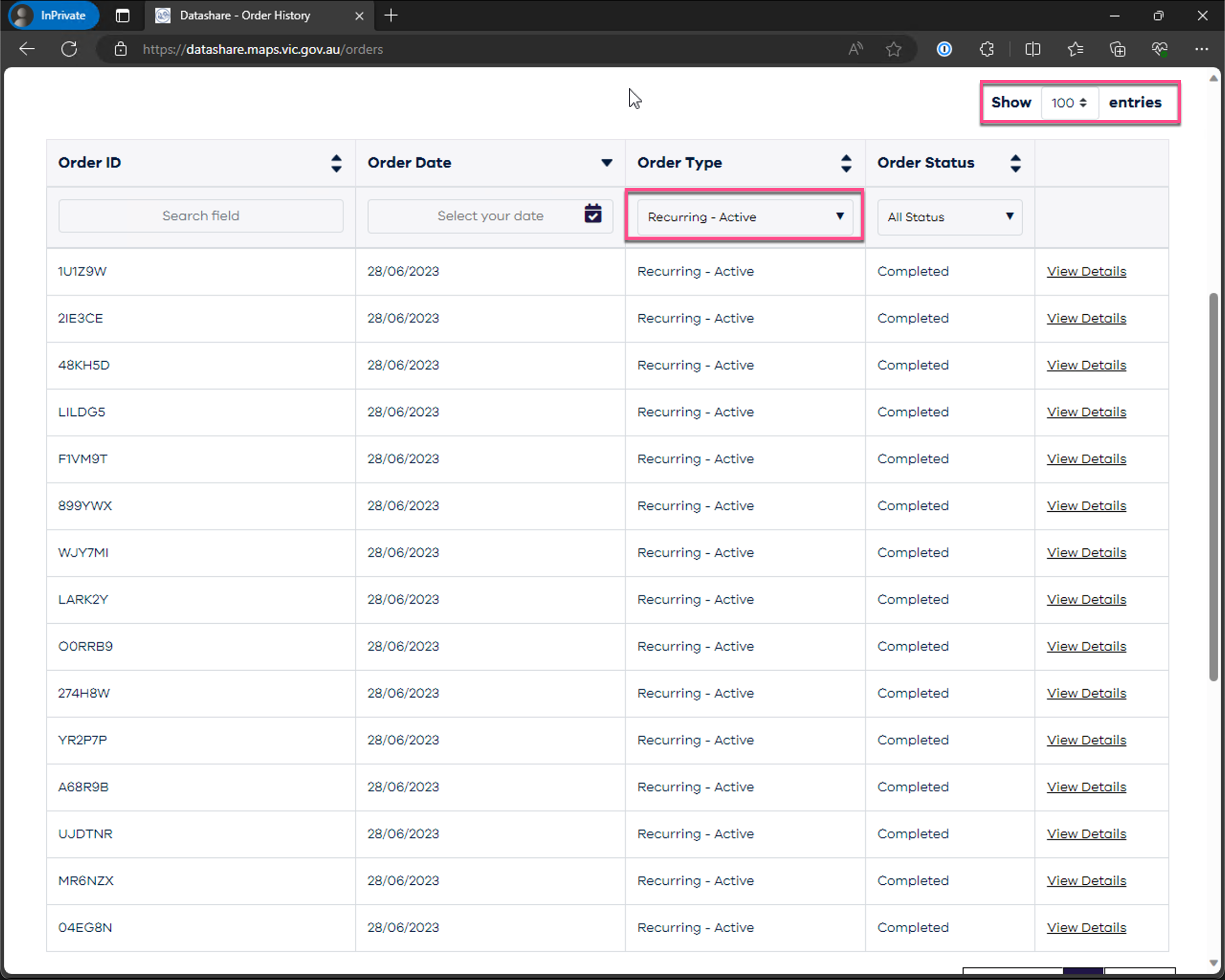
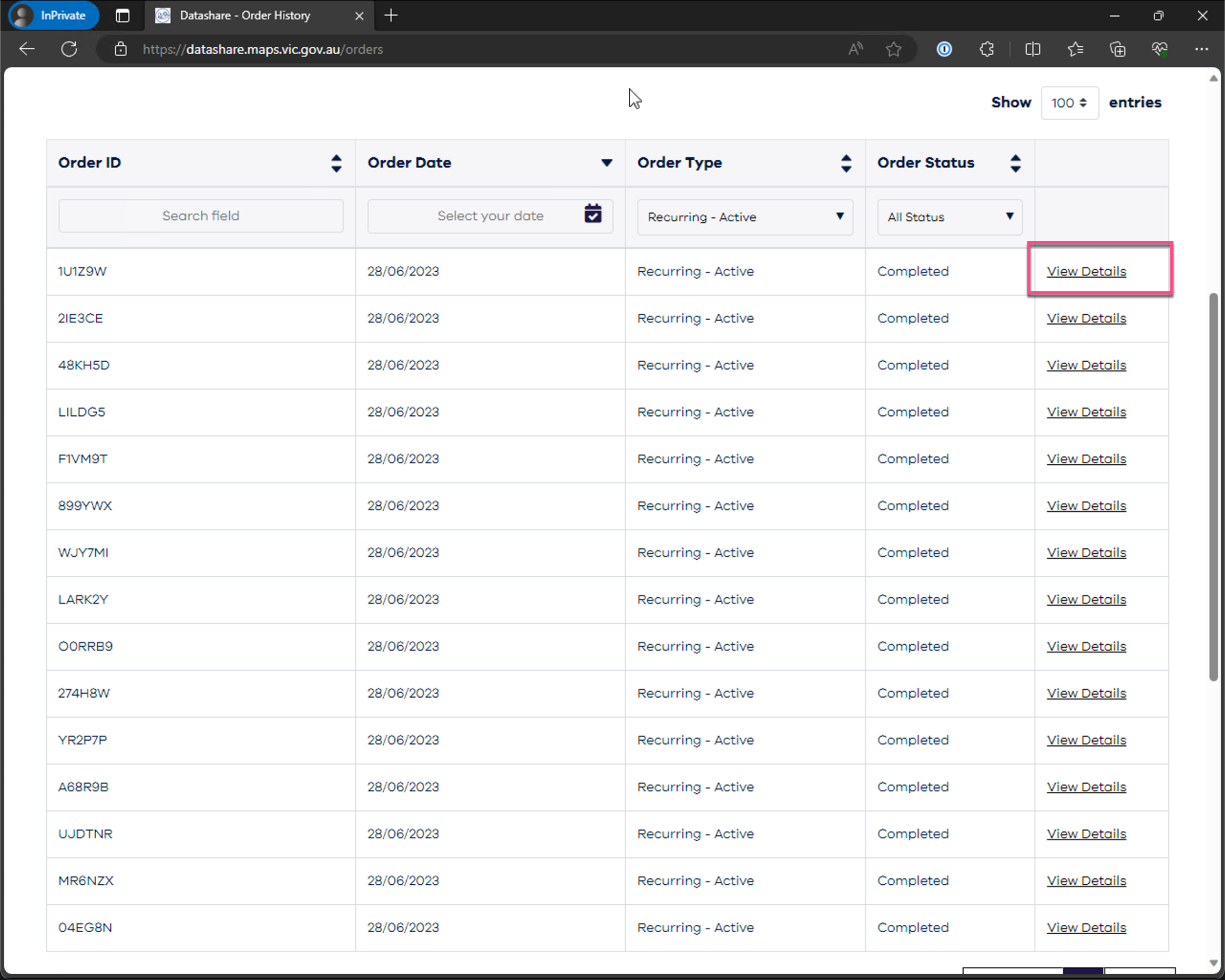
Open the recurring order details and close the old recurring order when it is no longer the active source for Flux.
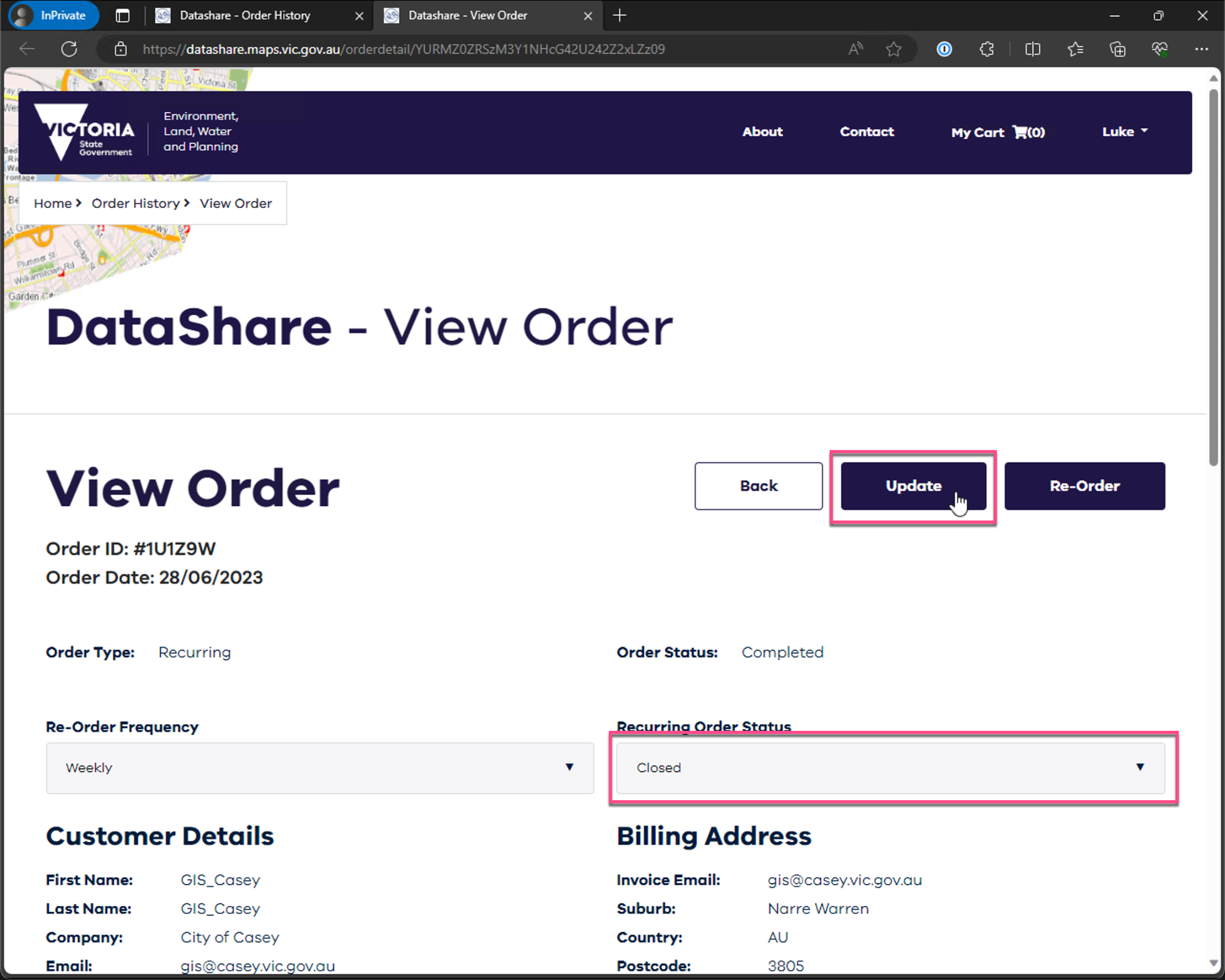
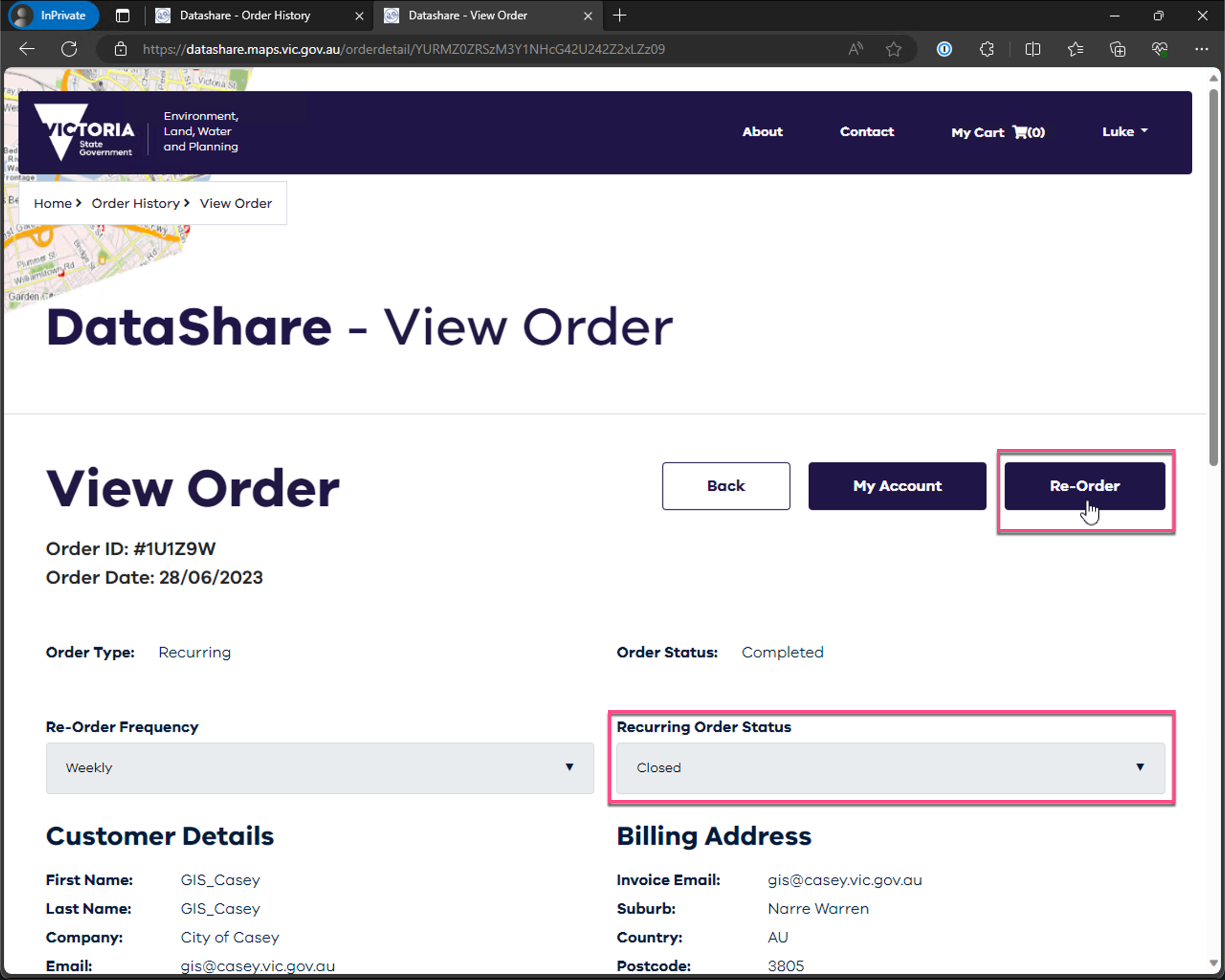
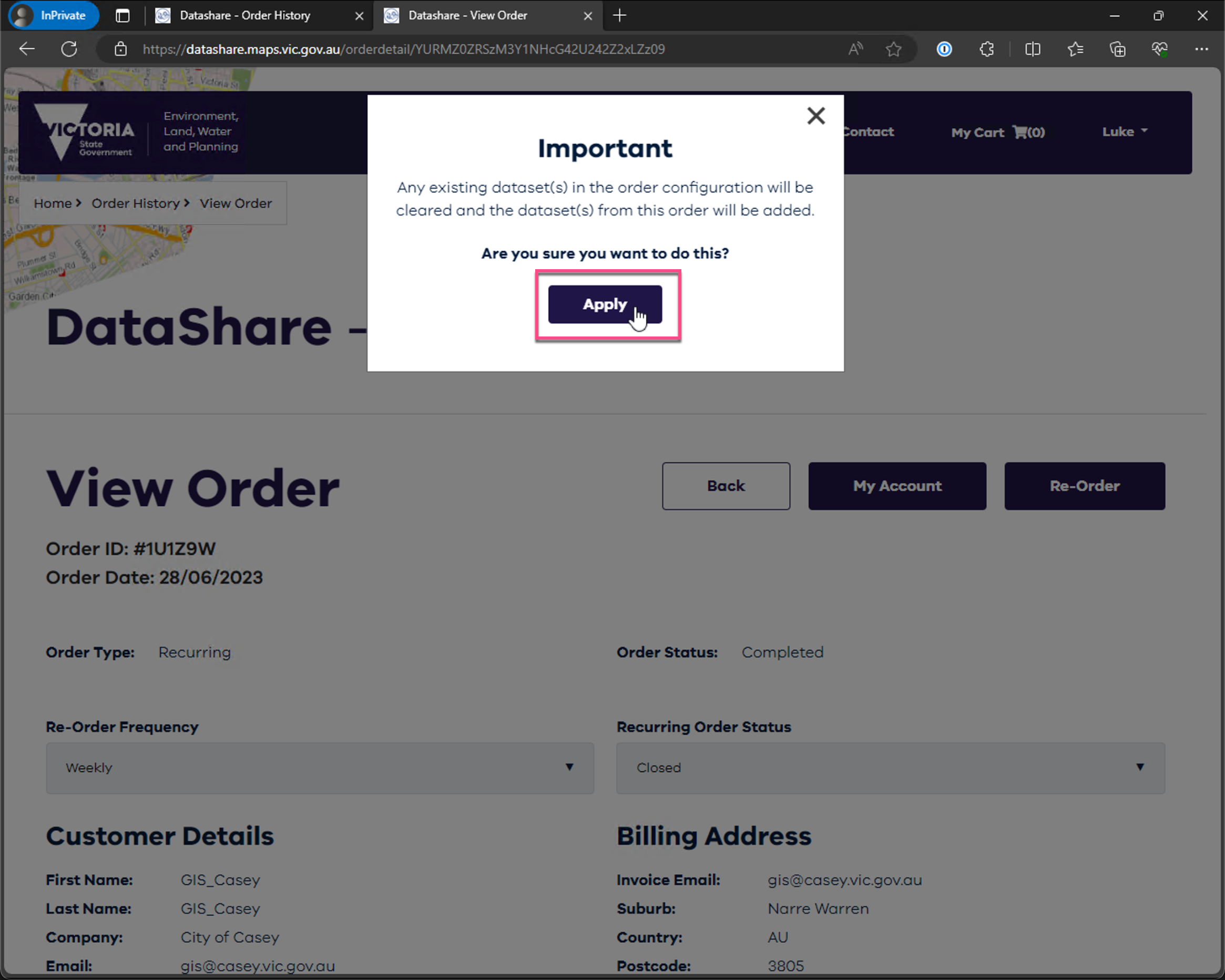
Reorder from the closed recurring order and apply the order configuration that matches the Flux target.
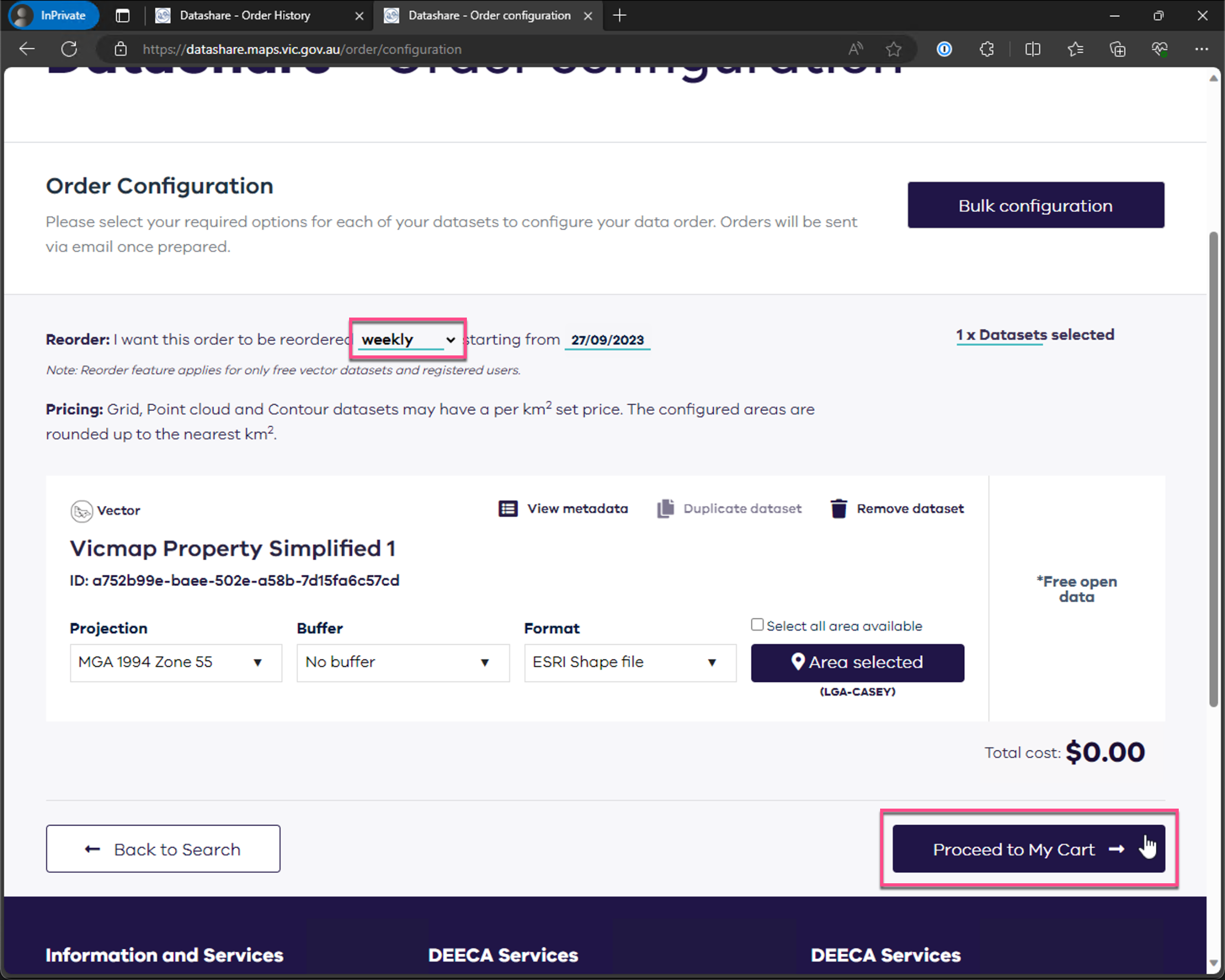
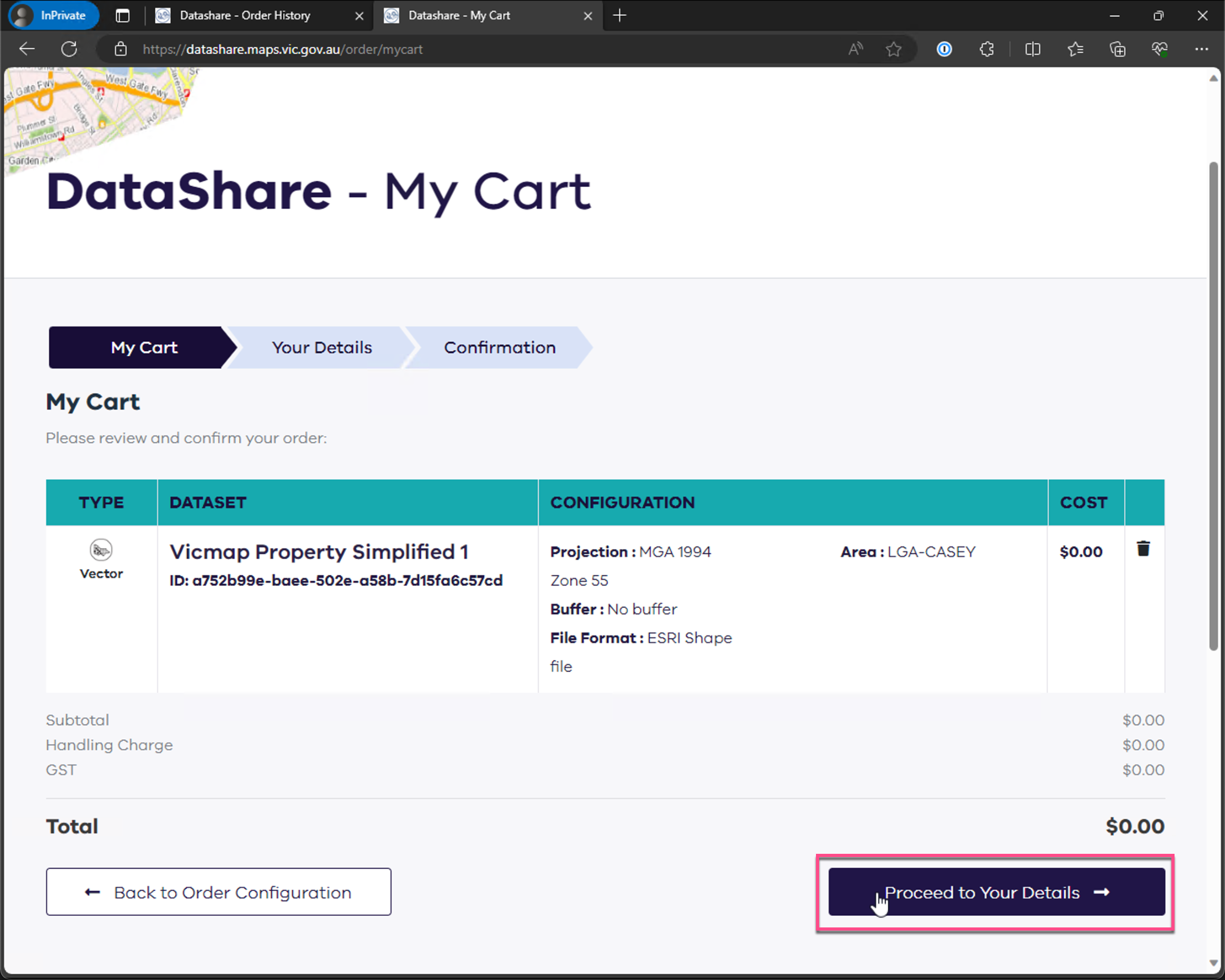
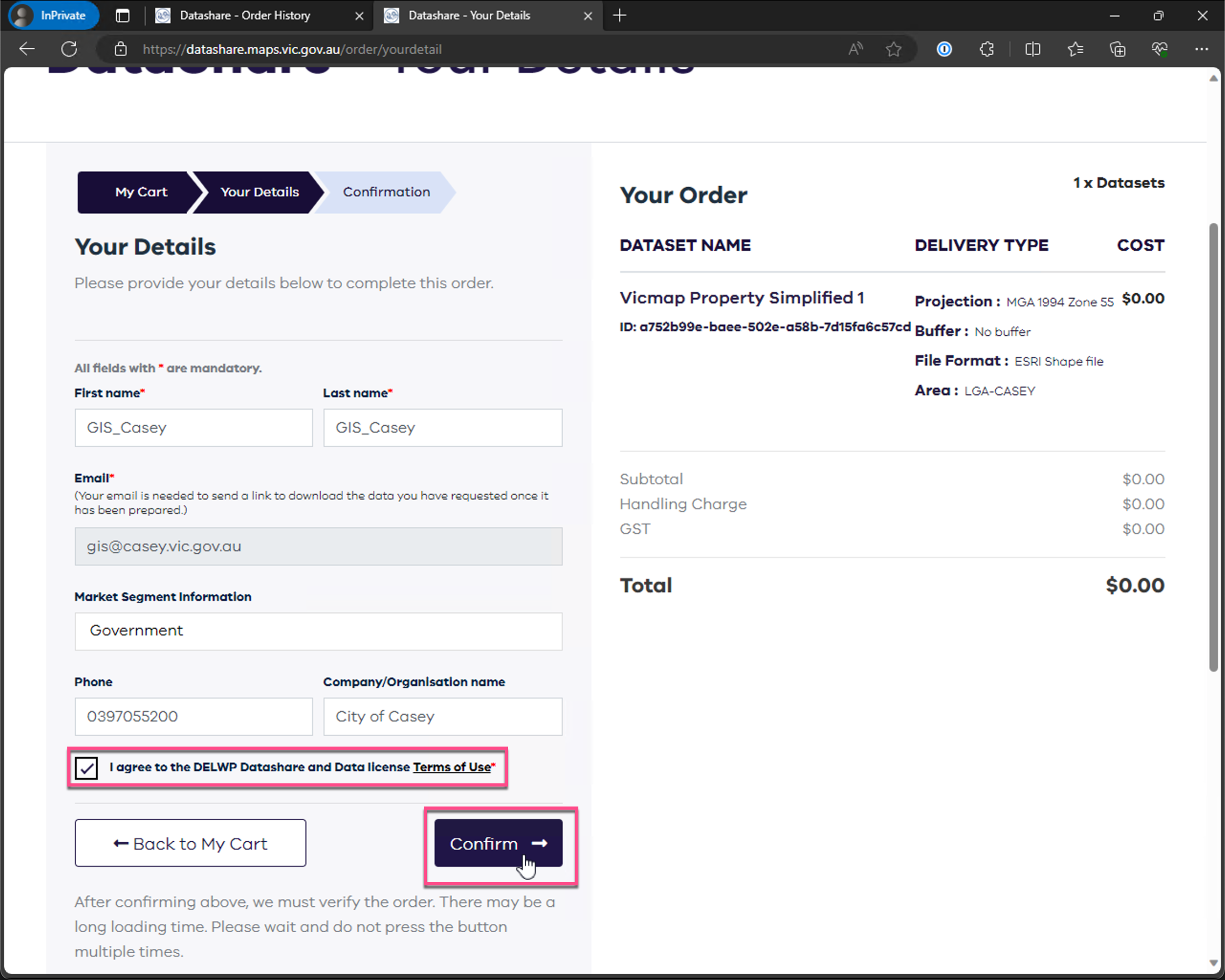
Confirm the recurring schedule, proceed to your details, and confirm the replacement order.
Let the recurring order move into processing, then return to the Flux automation path that checks orders, downloads updates, imports files, and records logs.
Implementation Evidence
Flux/Hive/Hive.Application/DataShare/Flux/PowerShell/DataShare/Docs/Reference/PowerShell/get-fluxdatashareorderconfig.mdDocs/Reference/PowerShell/get-fluxdatashareorderready.md